
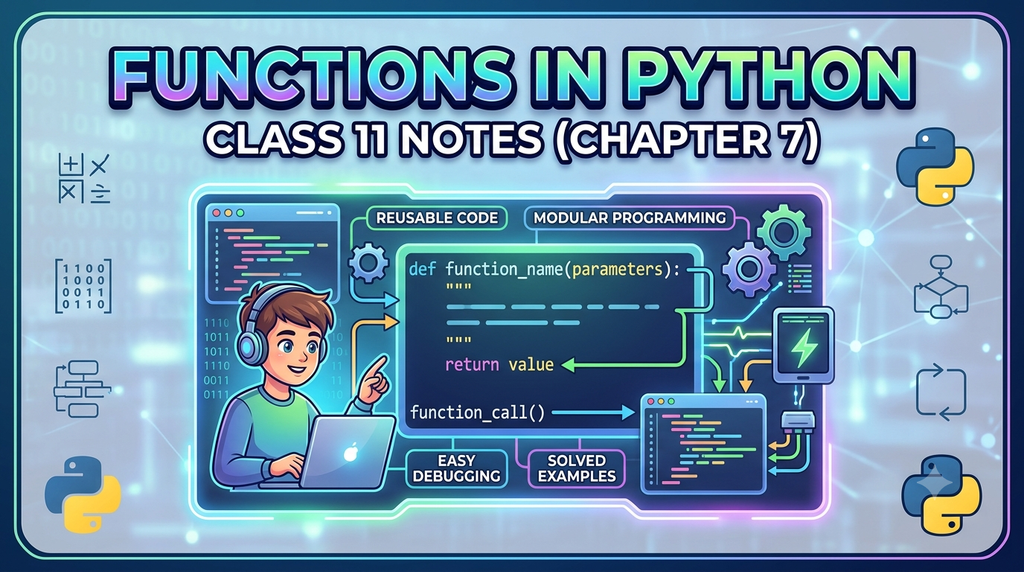
Functions in Python Class 11 notes are everywhere, but most either drown you in jargon or barely explain anything at all. This one sits in between – a clear, example-driven walkthrough of Class 11 Computer Science Chapter 7 Functions, built to actually make sense.
You’ll get a proper handle on arguments and parameters in Python, how variable scope works, and where the Python Standard Library for Class 11 fits into all of it – explained the way a function should work: once, clearly, and reusable whenever you need it again.
- What Is a Function, Really? (Functions in Python Class 11 Notes)
- Why Programs Actually Need Functions (Functions in Python Class 11 Notes)
- Built-in Functions vs User-Defined Functions (Class 11 Computer Science Chapter 7 Functions)
- Writing Your First User-Defined Function (python standard library class 11)
- Arguments and Parameters – Same Thing, Different Job (arguments and parameters in python)
- How Python Actually Runs a Program That Has Functions in It (python functions explained)
- Scope of a Variable – Where Can It Actually Be Seen? (python standard library class 11)
- The Python Standard Library (python standard library class 11)
- Built-in Functions You’ll Use Constantly (Functions in Python Class 11 Notes)
- Modules – Functions Organised into Ready-Made Toolkits (python functions explained)
- Importing Only What You Need (Functions in Python Class 11 Notes)
- Building Your Own Module (Functions in Python Class 11 Notes)
- Quick Recap – The Cheat Sheet (class 11 computer science chapter 7 functions)
- Frequently Asked Questions (FAQs) (python standard library class 11)
- Solved Exercises – Class 11 Comuter Science Chapter 7: Functions
- Activity-Based Questions – Class 11 Comuter Science Chapter 7: Functions (python standard library class 11)
- Suggested Lab Exercises – Class 11 Comuter Science Chapter 7: Functions (python functions explained)
NCERT | Functions in Python Class 11 Notes (Chapter 7) Solved | Python functions explained
What Is a Function, Really? (Functions in Python Class 11 Notes)
Forget the textbook definition for a second. Think about a vending machine. You press B4, and without you knowing (or caring) how the mechanism inside works, a bag of chips drops down. You didn’t rebuild the machine’s internals every time you wanted a snack – you just pressed the button that already knew what to do.
A function works the same way. It’s a named, self-contained block of code built to do one specific job. You write the logic once, give it a name, and from then on you just “press the button” call the function’s name – whenever that job needs doing again.
In more formal terms: a function is a group of instructions that runs only when it’s called or invoked, and can be reused as many times as you like without rewriting the code inside it.
That reuse is the entire point. Instead of copy-pasting the same ten lines of tax-calculation logic into five different places in your program, you write it once inside a function and call that function five times.
Why Programs Actually Need Functions (Functions in Python Class 11 Notes)
Go back to the tent company. Without functions, the program looks roughly like this: accept height, accept radius, accept slant height, calculate cylindrical area, calculate conical area, add them together, calculate cost, calculate tax, print result – all typed out top to bottom in one continuous block.
It runs fine. It’s also a nightmare to maintain. Say the company later wants to sell tents with a rectangular base instead of a circular one. You’d have to hunt through that single block, figure out exactly which lines calculate the conical top (since that part stays the same), and copy them somewhere new – hoping you don’t accidentally break something else in the process.
Now imagine the same program split into three clearly named pieces: one function that calculates the cylindrical part’s area, one that calculates the conical part’s area, and one that adds tax to get the final price. Need a rectangular-base tent? You reuse the conical-area function as-is and just swap out the cylindrical calculation. Nothing else in the program needs to be touched.
This idea – breaking a program into separate, independently working blocks, each with its own name and its own job – is called modular programming, and functions are how Python implements it.
Here’s what you actually gain from doing this: python functions explained
- Readability. A program built from well-named functions practically documents itself. You can scan
calculate_area(),apply_tax(),print_receipt()and understand the program’s structure without reading a single line of implementation.
- Less code, fewer bugs. If the same calculation is needed in three places, you write it once. When you find a bug in it, you fix it once – not three times, and not with the risk of forgetting one of the three copies.
- Reusability. A function you wrote for one project can often be dropped straight into another. That tax-calculation function doesn’t care whether it’s being used for tents, T-shirts, or textbooks.
- Team-friendly. When a project is split into functions with clear responsibilities, different people can work on different functions at the same time without stepping on each other’s code.
Built-in Functions vs User-Defined Functions (Class 11 Computer Science Chapter 7 Functions)
Before you write a single function of your own, it’s worth knowing that Python already ships with a huge number of ready-made ones. Every time you’ve written, or int(), you’ve been calling a function – you just didn’t have to write it yourself, because Python’s interpreter already has it built in.

Built-in functions cover the basics every program needs. But the moment your program needs to do something specific to your problem – calculate a tent’s canvas cost, check a password, generate a quiz score – you’re on your own. That’s where user-defined functions come in.
Writing Your First User-Defined Function (python standard library class 11)
Every function definition in Python starts with the keyword def (short for “define”). Here’s the general shape:
def function_name(parameter1, parameter2):
    # instructions that make up the function body
return resultA few rules that trip up almost everyone the first time:
- The line starting with
defis called the function header, and it must end with a colon (:).
- Everything that belongs to the function – its body – must be indented consistently underneath the header. Python uses this indentation to know where the function ends.
- Parameters (the names inside the brackets) are entirely optional. A function can take zero, one, or several.
- The
returnstatement is also optional. A function may or may not send a value back.
- Function names follow the same rules as variable names — no spaces, can’t start with a digit, and should ideally describe what the function actually does.
Here’s a genuinely simple example – a function that calculates Body Mass Index: (python functions explained
def calculate_bmi(weight, height):
    bmi = weight / (height ** 2)
    return bmi

user_bmi = calculate_bmi(65, 1.7)
print("Your BMI is:", round(user_bmi, 2))Notice two separate things happening here. The def block is the definition – it just tells Python what the function is capable of doing. Nothing actually runs yet. The line calculate_bmi(65, 1.7) is the function call – this is the moment the code inside actually executes, using 65 and 1.7 as the values to work with.
That distinction-defining versus calling-matters a lot more than it sounds like it should. We’ll come back to it.
Arguments and Parameters – Same Thing, Different Job (arguments and parameters in python)
This is the single most commonly confused pair of terms in the entire chapter, so let’s nail it down properly.
Think about ordering food at a counter. You tell the person at the register “medium, extra cheese” – those specific values you hand over are your arguments. The order slip the kitchen works from has blank fields labelled size and topping waiting to be filled in – those blank fields are the parameters.
def order_pizza(size, topping):     # size and topping are PARAMETERS
    print("Preparing a", size, "pizza with", topping)

order_pizza("medium", "extra cheese") # "medium" and "extra cheese" are ARGUMENTSParameters live in the function’s definition. Arguments are the actual values you hand over at the moment you call the function. When the function runs, each parameter picks up the value of the argument sitting in the matching position.
Here’s something worth understanding properly, because it explains a lot of confusing behaviour later on: when you call a function, the parameter doesn’t get a fresh copy of the value – it initially points to the exact same object in memory as the argument does. You can actually verify this using Python’s id() function, which returns a unique identifier for whatever object a variable is currently pointing at.
def show_id(n):
    print("Inside function, id of n:", id(n))
    n = n + 10
    print("After reassigning n:", id(n))

number = 25
print("Outside function, id of number:", id(number))
show_id(number)
print("number is still:", number)Run this, and you’ll notice the id printed for n right when the function starts is identical to the id printed for number outside it – because at that moment, both names are pointing at the same integer object, 25.
But the instant you write n = n + 10, Python doesn’t change 25 into 35 in place. Integers in Python can’t be altered once created – they’re immutable. Instead, Python creates a brand new integer object, 35, and points n at it. number, sitting untouched outside the function, still points at the original 25.
That’s why print("number is still:", number) shows 25, not 35 – reassigning a parameter inside a function never reaches back out and changes the argument that was passed in.
Passing Text as Arguments (arguments and parameters in python)
Arguments aren’t limited to numbers. Strings work exactly the same way:
def build_greeting(name, city):
    message = "Hello " + name + ", welcome to " + city + "!"
    print(message)

build_greeting("Meera", "Bhubaneswar")The mechanics don’t change – Python just matches each argument to its corresponding parameter, in order, left to right.
Default Parameter Values (arguments and parameters in python)
Sometimes you want a parameter to have a sensible fallback value, so the caller only needs to supply it when they want something different from the usual. Python lets you assign this directly in the function header:
def apply_discount(price, discount_percent=10):
    final_price = price - (price * discount_percent / 100)
    return final_price

print(apply_discount(1000))         # uses the default 10%
print(apply_discount(1000, 25)) # overrides it with 25%Call apply_discount(1000) and Python fills in 10 automatically, since you didn’t supply a second argument. Call apply_discount(1000, 25) and your explicit value simply overwrites the default.
There’s one strict rule here that Python enforces without exception: once a parameter has a default value, every parameter listed after it must also have one. Python matches arguments to parameters left to right, and if a required (no-default) parameter shows up after an optional one, Python has no reliable way to figure out which value was meant for which slot.
# This throws a SyntaxError — rate has no default, but it comes after one that does
def calculate_interest(principal=5000, rate, time=2):
    ...

# This is correct — the parameters with defaults are pushed to the end
def calculate_interest(rate, time, principal=5000):
...A good mental shortcut: required parameters go first, optional ones (with defaults) trail behind them.
The Return Statement – Getting Values Back Out (arguments and parameters in python)
Not every function needs to hand something back to whoever called it. A function that just prints a message and stops is called a void function. But often, you need the function to calculate something and pass that result back to the rest of your program – and that’s exactly what return does.
def factorial(n):
    result = 1
    for i in range(1, n + 1):
        result = result * i
    return result

print("5! =", factorial(5))The moment Python hits a return statement, two things happen at once: control jumps straight back to wherever the function was called from, and the value after return travels back with it. Any code written after return inside the same function simply never runs – it’s the function’s exit door.
Returning More Than One Value (arguments and parameters in python)
Here’s something that surprises a lot of beginners the first time they see it: a single return statement can hand back multiple values at once.
def rectangle_stats(length, breadth):
    area = length * breadth
    perimeter = 2 * (length + breadth)
    return area, perimeter

a, p = rectangle_stats(12, 5)
print("Area:", a)
print("Perimeter:", p)Under the hood, Python doesn’t actually return “two separate things” – it silently packs area and perimeter into a tuple and returns that single tuple. Writing a, p = rectangle_stats(12, 5) then unpacks that tuple, assigning the first value to a and the second to p, in order. It looks like magic the first time you see it, but it’s really just tuple packing and unpacking working together.
How Python Actually Runs a Program That Has Functions in It (python functions explained)
Here’s a question worth sitting with for a second: does Python read your program strictly top to bottom, line by line, the way you’d read a book?
Mostly, yes – until it hits a function call. At that point, something interesting happens. Instead of continuing to the next line in sequence, control jumps into the function’s definition, runs everything inside it, and only then jumps back to right after the point where it was called.
This matters for a very practical reason: a function has to be defined before it’s called. Try this, and see what happens:
greet_user()          # this runs first — but the function doesn't exist yet!

def greet_user():
print("Hello there!")Python throws a NameError, complaining that greet_user isn’t defined – even though the function is right there, two lines down. Why? Because by the time Python reaches the call on line one, it hasn’t processed the def block yet. It literally doesn’t know greet_user exists.
The fix is simply to flip the order:
def greet_user():
    print("Hello there!")

greet_user() # now this works — the function is already knownHere’s what that call-and-return detour looks like when you trace it step by step:

Once you start thinking of function calls as a detour rather than a straight read-through, tracing through a program full of functions gets a lot easier.
Scope of a Variable – Where Can It Actually Be Seen? (python standard library class 11)
This is the topic that quietly causes more confusion than almost anything else in this chapter, so let’s take it slowly.
Every variable you create in Python has a defined “territory” – the part of the program where it’s actually visible and usable. That territory is called its scope, and Python recognises two kinds.
- A global variable is one created outside any function, directly in the main body of your program. Think of it as a public park – anyone anywhere in the program can walk in and use it.
- A local variable is created inside a function. Think of it as your own room only code running inside that specific function can see it, and the moment the function finishes running, that variable is gone entirely.
balance = 5000          # global variable — visible everywhere

def withdraw(amount):
    remaining = balance - amount     # 'remaining' is local to withdraw()
    print("Balance seen inside the function:", balance)
    print("Remaining after withdrawal:", remaining)

withdraw(1200)
print(balance)          # works fine — balance is global
print(remaining)        # NameError! remaining doesn't exist out here
balance was created outside any function, so withdraw() can read it without any special permission. remaining, on the other hand, was born inside withdraw(), lived its entire life there, and vanished the moment the function finished executing. Trying to access it afterwards throws a NameError, because as far as the rest of the program is concerned, remaining was never there at all.
There’s a subtler trap worth knowing about too: if you create a local variable inside a function that happens to share a name with a global variable, Python treats it as an entirely separate, local variable for the duration of that function. It doesn’t touch the global one – it just temporarily hides it from view within that function’s body.

The global Keyword – Reaching Out to Modify a Global Variable (python standard library class 11)
Reading a global variable from inside a function is easy – Python allows that by default. But what if you actually want to change a global variable’s value from inside a function, not just read it?
Try it without any special handling, and Python won’t do what you expect:
balance = 5000

def deposit(amount):
    balance = balance + amount    # this actually raises an error!

deposit(1500)This fails with an UnboundLocalError. The reason is subtle: the moment Python sees balance = ... anywhere inside a function body, it decides balance is a local variable for that entire function – even on the very first line where you’re trying to read it before assigning.
Python isn’t smart enough to say “oh, you meant the global one for the read and a new one for the write.” It just assumes local, and then complains that you’re using balance before it has a value.
The fix is to explicitly tell Python which balance you mean, using the global keyword:
balance = 5000

def deposit(amount):
    global balance
    balance = balance + amount

deposit(1500)
print(balance) # 6500 — the actual global variable was updatedThat one line, global balance, changes everything. It tells Python: “don’t create a new local variable with this name – I mean the one that already exists outside this function.” Any change made to balance after that point inside the function permanently updates the global variable, and that change is visible everywhere else in the program too.
A word of caution here, though: leaning on global too heavily is generally considered bad practice once your programs get bigger. It makes functions less predictable, since their behaviour now depends on – and can silently change – variables sitting somewhere else entirely. Use it when you genuinely need it, but don’t reach for it as a default habit.
The Python Standard Library (python standard library class 11)
Here’s something that’ll save you a lot of typing once it clicks: you don’t have to write every single function yourself. Python ships with an enormous collection of ready-made functionality called the Python Standard Library, and it comes in two flavours – functions you can use immediately with no setup, and functions grouped into modules that need to be imported first.
Built-in Functions You’ll Use Constantly (Functions in Python Class 11 Notes)
These are always available, no import required. A few of the ones worth knowing well:

Try a few of these directly in a Python shell and you’ll see the results immediately – no setup, no imports.
Modules – Functions Organised into Ready-Made Toolkits (python functions explained)
A module is simply a Python file packed with related functions. Rather than loading every function Python has ever written into memory all at once, you tell Python exactly which toolkit you want with an import statement, and then access its functions using dot notation.
import math

print(math.sqrt(144))        # 12.0
print(math.ceil(9.1))        # 10
print(math.floor(9.9))       # 9
print(math.factorial(6))     # 720
print(math.gcd(36, 24)) # 12Notice the pattern: math.sqrt(), math.ceil(), and so on – always module_name.function_name(). The dot is how Python knows you’re reaching into that module for the function, rather than looking for a function called sqrt floating around loose in your own code.
The random module is another one you’ll use constantly – anywhere your program needs unpredictability, from a dice-roll game to picking a random winner from a list of names:
import random

print(random.random())            # a random float between 0.0 and 1.0
print(random.randint(1, 6))       # a random whole number from 1 to 6 (dice roll)
print(random.randrange(0, 100, 5)) # a random multiple of 5, from 0 up to (not including) 100And when you need quick statistics on a set of numbers – say, marks scored by a class – the statistics module handles the arithmetic for you:
import statistics

marks = [78, 92, 65, 88, 92, 74]
print("Mean:", statistics.mean(marks))
print("Median:", statistics.median(marks))
print("Mode:", statistics.mode(marks))Importing Only What You Need (Functions in Python Class 11 Notes)
Importing an entire module loads every function inside it, even if you only plan to use one. When you know exactly which function you need, the from statement lets you pull in just that one, and you get to skip the module-name prefix entirely afterwards:
from math import sqrt, factorial

print(sqrt(225))        # no need to write math.sqrt anymore
print(factorial(5))This is a genuinely good habit – it keeps your code a little leaner and makes it obvious at a glance exactly which functions your program depends on.
One more small but useful fact: no matter how many times you write import math across your program, Python only actually loads the module into memory the first time. Every import after that just reuses what’s already loaded.
Building Your Own Module (Functions in Python Class 11 Notes)
Once you understand that a module is really just a .py file full of functions, creating your own is straightforward. Say you’re tired of rewriting the same billing logic across different school projects – you could save this in a file called billing_tools.py:
"""
billing_tools module
Handles simple billing calculations: tax, discounts, and totals.
"""

def add_tax(amount, tax_rate=18):
    return amount + (amount * tax_rate / 100)

def apply_discount(amount, discount_rate):
    return amount - (amount * discount_rate / 100)

def final_bill(amount, discount_rate=0, tax_rate=18):
    discounted = apply_discount(amount, discount_rate)
return add_tax(discounted, tax_rate)From any other Python file saved in the same folder, you can now use it exactly like a built-in module:
import billing_tools

print(billing_tools.final_bill(2000, discount_rate=10))
print(billing_tools.__doc__) # prints the triple-quoted description at the topThat triple-quoted text at the top of the file is called a docstring – a multi-line comment that documents what the module does. Python stores it automatically in a special variable called __doc__, which is why billing_tools.__doc__ prints it back out for you.
This is genuinely one of the most useful habits you can build early: once you’ve solved a problem once and wrapped it in a well-named function inside your own module, you never have to solve it from scratch again.
Quick Recap – The Cheat Sheet (class 11 computer science chapter 7 functions)
If you only remember one table from this entire guide, make it this one:

Frequently Asked Questions (FAQs) (python standard library class 11)
What is a function in Python class 11?
A function is a named block of code written once and reused wherever that task is needed. It can accept input through parameters, perform a task, and optionally send a result back using the return statement.
What’s the actual difference between an argument and a parameter?
A parameter is the variable name listed inside the function’s definition, waiting to receive a value. An argument is the real value you supply when you actually call that function. The parameter picks up whatever argument you send.
Can a Python function return more than one value?
Yes. Writing return a, b bundles both values into a tuple automatically, and you can unpack them into separate variables at the point where you called the function, like x, y = my_function().
What’s the difference between local and global variables?
A local variable is created inside a function and exists only for as long as that function is running – it disappears once the function finishes. A global variable is created outside any function and remains accessible for the entire program’s run.
Why do we need the global keyword at all?
Without it, the moment you try to assign a value to a variable inside a function, Python assumes you mean a new local variable – even if a global variable already has that exact name. The global keyword tells Python explicitly to modify the outer variable instead.
What’s the difference between a function and a module?
A function groups a set of instructions to perform one task. A module groups a set of related functions together in a single .py file, so they can all be imported and reused wherever needed.
Does every function have to return something?
No. Functions that simply perform an action – printing a receipt, displaying a message – are called void functions. If a function has no explicit return statement, Python quietly returns None on its behalf.
Solved Exercises – Class 11 Comuter Science Chapter 7: Functions
1. Observe the following programs carefully, and identify the error:
(a)
def create (text, freq):
    for i in range (1, freq):
        print text
create(5) #function callAnswer:
Errors:
create(5)supplies only one value, but the function needs two (textandfreq) ->TypeError: create() missing 1 required positional argument: 'freq'print textis Python 2 syntax. In Python 3,printis a function and needs parentheses.
Corrected:
def create(text, freq):
    for i in range(1, freq):
        print(text)
create("Hello", 5)Output:
Hello
Hello
Hello
Hello(b)
from math import sqrt,ceil
def calc():
    print cos(0)
calc()Errors:
coswas never imported – onlysqrtandceilwere.print cos(0)is Python 2 syntax.
Corrected:
from math import sqrt, ceil, cos
def calc():
    print(cos(0))
calc()Output:
1.0(c)
mynum = 9
def add9():
    mynum = mynum + 9
    print mynum
add9()Errors:
- Since
mynumis assigned a value inside the function, Python treats it as a local variable for the entire function – including the right-hand side of that same line. Somynum + 9fails withUnboundLocalError: local variable 'mynum' referenced before assignment.
print mynumis Python 2 syntax.
Corrected:
mynum = 9
def add9():
    global mynum
    mynum = mynum + 9
    print(mynum)
add9()Output:
18(d)
def findValue( vall = 1.1, val2, val3):
    final = (val2 + val3)/ vall
    print(final)
findvalue()Errors:
vall = 1.1(a default parameter) appears beforeval2andval3(non-default parameters) →SyntaxError: non-default argument follows default argument. Default parameters must always come last.
- The function is defined as
findValuebut called asfindvalue— Python is case-sensitive, so this raisesNameError.
Corrected:
def findValue(val2, val3, vall=1.1):
    final = (val2 + val3) / vall
    print(final)
findValue(5, 6)Output:
10.0(e)
def greet():
    return("Good morning")
greet() = messageErrors:
- You cannot assign a value to a function call. The left side of
=must be a variable, notgreet(). This gives aSyntaxError. messagewas never defined anywhere.
Corrected:
def greet():
    return "Good morning"
message = greet()
print(message)Output:
Good morning2. How is math.ceil(89.7) different from math.floor (89.7)?
Answer: math.ceil(x) rounds up to the nearest integer; math.floor(x) rounds down.
import math
print(math.ceil(89.7))
print(math.floor(89.7))Output:
90
893. Out of random() and randint(), which function should we use to generate random numbers between 1 and 5. Justify.
Answer: Use random.randint(1, 5).
random.random() only returns a float between 0.0 and 1.0 – to get whole numbers 1–5 from it, you’d need extra math like int(random.random() * 5) + 1, which is clumsy and easy to get wrong. random.randint(a, b) was built exactly for this – it directly returns an integer, and both endpoints (1 and 5) are included in the possible results.
import random
print(random.randint(1, 5))Output:
44. How is built-in function pow() function different from function math.pow() ? Explain with an example.
Answer:
print(pow(5, 2))

import math
print(math.pow(5, 2))Output:
25
25.0pow()is a built-in function. With integer inputs and a non-negative exponent, it returns an int. It also accepts a third argument for modular exponentiation:pow(5, 2, 3)gives1(i.e.(5**2) % 3).
math.pow()comes from themathmodule and always returns a float, and only accepts two arguments.
5. Using an example show how a function in Python can return multiple values.
Answer:
def min_max(numbers):
    return min(numbers), max(numbers)

smallest, largest = min_max([12, 45, 3, 67, 21])
print("Smallest:", smallest)
print("Largest:", largest)Output:
Smallest: 3
Largest: 67Python packs min(numbers) and max(numbers) into a tuple behind the scenes; writing smallest, largest = ... unpacks that tuple into two separate variables.
6. Differentiate between following with the help of an example:
- Argument and Parameter
- Global and Local variable
Answer:
(a) Argument vs Parameter
def add(a, b):        # a, b are PARAMETERS
    return a + b

print(add(10, 20)) # 10, 20 are ARGUMENTSOutput:
30A parameter is the variable name written in the function’s definition. An argument is the actual value supplied when the function is called.
(b) Global vs Local variable
count = 100            # global variable

def show():
    count = 5           # local variable — separate from the global one
    print("Local count:", count)

show()
print("Global count:", count)Output:
Local count: 5
Global count: 100A global variable is created outside any function and is visible everywhere. A local variable is created inside a function, exists only while that function runs, and doesn’t touch a global variable that happens to share its name.
7. Does a function always return a value? Explain with an example.
Answer: No. A function with no return statement is called a void function – it performs a task but sends nothing back, and Python silently returns None.
def show_message():
    print("Welcome to Python!")

result = show_message()
print(result)Output:
Welcome to Python!
NoneActivity-Based Questions – Class 11 Comuter Science Chapter 7: Functions (python standard library class 11)
1. To secure your account, whether it be an email, online bank account or any other account, it is important that we use authentication. Use your programming expertise to create a program using user defined function named login that accepts userid and password as parameters (login(uid,pwd)) that displays a message “account blocked” in case of three wrong attempts. The login is successful if the user enters user ID as “ADMIN” and password as “St0rE@1”. On successful login, display a message “login successful”.
Answer:
#function definition
def login(uid, pwd):
    #checks credentials and returns True or False
    if uid == "ADMIN" and pwd == "St0rE@1":
        return True
    else:
        return False

attempts = 0
while attempts < 3:
    user_id = input("Enter user ID: ")
    password = input("Enter password: ")
    #function call
    if login(user_id, password):
        print("login successful")
        break
    else:
        attempts = attempts + 1
        if attempts == 3:
            print("account blocked")
        else:
print("Wrong credentials. Try again.")Output:
Enter user ID: admin
Enter password: pass123
Wrong credentials. Try again.
Enter user ID: ADMIN
Enter password: St0rE@1
login successfu2. XYZ store plans to give festival discount to its customers. The store management has decided to give discount on the following criteria:

An additional discount of 5% is given to customers who are the members of the store. Create a program using user defined function that accepts the shopping amount as a parameter and calculates discount and net amount payable on the basis of the following conditions: Net Payable Amount = Total Shopping Amount – Discount.
Answer:
#function definition
def calculate_discount(amount, is_member):
    if amount >= 2000:
        discount_rate = 10
    elif amount >= 1000:
        discount_rate = 8
    elif amount >= 500:
        discount_rate = 5
    else:
        discount_rate = 0

    if is_member:
        discount_rate = discount_rate + 5

    discount = amount * discount_rate / 100
    net_amount = amount - discount
    return discount, net_amount

shopping_amount = float(input("Enter your total shopping amount: Rs. "))
member = input("Are you a store member? (yes/no): ")
is_member = True if member.lower() == "yes" else False

#function call
discount, net_amount = calculate_discount(shopping_amount, is_member)
print("Discount Amount: Rs.", discount)
print("Net Payable Amount: Rs.", net_amount)Output:
Enter your total shopping amount: Rs. 1500
Are you a store member? (yes/no): yes
Discount Amount: Rs. 195.0
Net Payable Amount: Rs. 1305.03. ‘Play and learn’ strategy helps toddlers understand concepts in a fun way. Being a senior student you have taken responsibility to develop a program using user defined functions to help children master two and three-letter words using English alphabets and addition of single digit numbers. Make sure that you perform a careful analysis of the type of questions that can be included as per the age and curriculum.
Answer:
import random

#function definition
def addition_question():
    a = random.randint(1, 9)
    b = random.randint(1, 9)
    print("What is", a, "+", b, "?")
    answer = int(input("Your answer: "))
    if answer == a + b:
        print("Correct! Well done.")
    else:
        print("Oops! The correct answer is", a + b)

#function definition
def word_question():
    words = ["cat", "dog", "sun", "cup", "hat", "run"]
    word = random.choice(words)
    print("Can you spell this word:", word, "?")
    answer = input("Type the word: ")
    if answer.lower() == word:
        print("Correct! Great job.")
    else:
        print("Oops! The correct spelling is", word)

print("Welcome to Play and Learn!")
#function calls
addition_question()
word_question()Output:
Welcome to Play and Learn!
What is 3 + 5 ?
Your answer: 8
Correct! Well done.
Can you spell this word: cat ?
Type the word: cat
Correct! Great job.4. Take a look at the series below: 1, 1, 2, 3, 5, 8, 13, 21, 34, 55…
To form the pattern, start by writing 1 and 1. Add them together to get 2. Add the last two numbers: 1+2 = 3.Continue adding the previous two numbers to find the next number in the series. These numbers make up the famed Fibonacci sequence: previous two numbers are added to get the immediate new number.
Answer:
#function definition
def fibonacci(n):
    a, b = 1, 1
    series = []
    for i in range(n):
        series.append(a)
        a, b = b, a + b
    return series

terms = int(input("How many terms of the Fibonacci series do you want? "))
#function call
print(fibonacci(terms))Output:
How many terms of the Fibonacci series do you want? 10
[1, 1, 2, 3, 5, 8, 13, 21, 34, 55]5. Create a menu driven program using user defined functions to implement a calculator that performs the following:
- Basic arithmetic operations(+,-,*,/)
- log10 (x),sin(x),cos(x)
Answer:
import math

def add(a, b): return a + b
def subtract(a, b): return a - b
def multiply(a, b): return a * b
def divide(a, b): return "Cannot divide by zero" if b == 0 else a / b
def log_value(x): return math.log10(x)
def sine_value(x): return math.sin(x)
def cosine_value(x): return math.cos(x)

print("---- Calculator Menu ----")
print("1. Addition  2. Subtraction  3. Multiplication  4. Division")
print("5. log10(x)  6. sin(x)  7. cos(x)")

choice = int(input("Enter your choice (1-7): "))

if choice in (1, 2, 3, 4):
    num1 = float(input("Enter first number: "))
    num2 = float(input("Enter second number: "))
    if choice == 1: print("Result:", add(num1, num2))
    elif choice == 2: print("Result:", subtract(num1, num2))
    elif choice == 3: print("Result:", multiply(num1, num2))
    elif choice == 4: print("Result:", divide(num1, num2))
elif choice in (5, 6, 7):
    num = float(input("Enter the value: "))
    if choice == 5: print("Result:", log_value(num))
    elif choice == 6: print("Result:", sine_value(num))
    elif choice == 7: print("Result:", cosine_value(num))
else:
print("Invalid choice")Output:
---- Calculator Menu ----
1. Addition  2. Subtraction  3. Multiplication  4. Division
5. log10(x)  6. sin(x)  7. cos(x)
Enter your choice (1-7): 1
Enter first number: 15
Enter second number: 5
Result: 20.0Suggested Lab Exercises – Class 11 Comuter Science Chapter 7: Functions (python functions explained)
1. Write a program to check the divisibility of a number by 7 that is passed as a parameter to the user defined function.
Answer:
def check_divisibility(num):
    if num % 7 == 0:
        print(num, "is divisible by 7")
    else:
        print(num, "is not divisible by 7")

number = int(input("Enter a number: "))
check_divisibility(number)Output:
Enter a number: 49
49 is divisible by 72. Write a program that uses a user defined function that accepts name and gender (as M for Male, F for Female) and prefixes Mr/Ms on the basis of the gender.
Answer:
def add_title(name, gender):
    if gender.upper() == "M":
        print("Mr.", name)
    elif gender.upper() == "F":
        print("Ms.", name)
    else:
        print("Invalid gender entered")

person_name = input("Enter name: ")
person_gender = input("Enter gender (M/F): ")
add_title(person_name, person_gender)output:
Enter name: Arjun
Enter gender (M/F): M
Mr. Arjun3. Write a program that has a user defined function to accept the coefficients of a quadratic equation in variables and calculates its determinant. For example : if the coefficients are stored in the variables a,b,c then calculate determinant as b2-4ac. Write the appropriate condition to check determinants on positive, zero and negative and output appropriate result.
Answer:
def check_determinant(a, b, c):
    determinant = (b ** 2) - (4 * a * c)
    if determinant > 0:
        print("Determinant =", determinant, "-> Roots are real and distinct")
    elif determinant == 0:
        print("Determinant =", determinant, "-> Roots are real and equal")
    else:
        print("Determinant =", determinant, "-> Roots are imaginary")

a = float(input("Enter coefficient a: "))
b = float(input("Enter coefficient b: "))
c = float(input("Enter coefficient c: "))
check_determinant(a, b, c)Output:
Enter coefficient a: 1
Enter coefficient b: -5
Enter coefficient c: 6
Determinant = 1.0 -> Roots are real and distinct4. ABC School has allotted unique token IDs from (1 to to all the parents for facilitating a lucky draw on the day of their Annual day function. The winner would receive a special prize. Write a program using Python that helps to automate the task.(Hint: use random module)
Answer:
import random

def lucky_draw():
    winner_token = random.randint(1, 600)
    print("Congratulations! The winning token ID is:", winner_token)

lucky_draw()Output:
Congratulations! The winning token ID is: 3475. Write a program that implements a user defined function that accepts Principal Amount, Rate, Time, Number of Times the interest is compounded to calculate and displays compound interest. (Hint: CI=P*(1+r/n)nt
Answer:
def compound_interest(principal, rate, time, n):
    amount = principal * (1 + (rate / (100 * n))) ** (n * time)
    ci = amount - principal
    return ci

p = float(input("Enter Principal amount: "))
r = float(input("Enter Rate of interest: "))
t = float(input("Enter Time period (years): "))
n = int(input("Enter number of times interest is compounded per year: "))

result = compound_interest(p, r, t, n)
print("Compound Interest = Rs.", round(result, 2))Output:
Enter Principal amount: 10000
Enter Rate of interest: 10
Enter Time period (years): 2
Enter number of times interest is compounded per year: 1
Compound Interest = Rs. 2100.06. Write a program that has a user defined function to accept 2 numbers as parameters, if number 1 is less than number 2 then numbers are swapped and returned, i.e., number 2 is returned in place of number1 and number 1 is reformed in place of number 2, otherwise the same order is returned.
Answer:
def order_numbers(num1, num2):
    if num1 < num2:
        num1, num2 = num2, num1
    return num1, num2

a = int(input("Enter first number: "))
b = int(input("Enter second number: "))
result1, result2 = order_numbers(a, b)
print("Returned numbers:", result1, result2)Output:
Enter first number: 5
Enter second number: 12
Returned numbers: 12 57. Write a program that contains user defined functions to calculate area, perimeter or surface area whichever is applicable for various shapes like square, rectangle, triangle, circle and cylinder. The user defined functions should accept the values for calculation as parameters and the calculated value should be returned. Import the module and use the appropriate functions.
Answer:
import math

def square_area(side): return side ** 2
def rectangle_area(length, breadth): return length * breadth
def triangle_area(base, height): return 0.5 * base * height
def circle_area(radius): return math.pi * radius ** 2
def cylinder_surface_area(radius, height): return 2 * math.pi * radius * (radius + height)

print("Choose a shape: 1-Square 2-Rectangle 3-Triangle 4-Circle 5-Cylinder")
choice = int(input("Enter choice: "))

if choice == 1:
    side = float(input("Enter side: "))
    print("Area of square:", square_area(side))
elif choice == 2:
    length = float(input("Enter length: "))
    breadth = float(input("Enter breadth: "))
    print("Area of rectangle:", rectangle_area(length, breadth))
elif choice == 3:
    base = float(input("Enter base: "))
    height = float(input("Enter height: "))
    print("Area of triangle:", triangle_area(base, height))
elif choice == 4:
    radius = float(input("Enter radius: "))
    print("Area of circle:", circle_area(radius))
elif choice == 5:
    radius = float(input("Enter radius: "))
    height = float(input("Enter height: "))
    print("Surface area of cylinder:", cylinder_surface_area(radius, height))
else:
print("Invalid choice")Output:
Choose a shape: 1-Square 2-Rectangle 3-Triangle 4-Circle 5-Cylinder
Enter choice: 4
Enter radius: 7
Area of circle: 153.938040025899868. Write a program that creates a GK quiz consisting of any five questions of your choice. The questions should be displayed randomly. Create a user defined function score() to calculate the score of the quiz and another user defined function remark (scorevalue) that accepts the final score to display remarks as follows:

Answer:
import random

questions = [
    {"q": "Which planet is known as the Red Planet?", "a": "mars"},
    {"q": "What is the capital of India?", "a": "new delhi"},
    {"q": "Who wrote the Indian national anthem?", "a": "rabindranath tagore"},
    {"q": "How many continents are there on Earth?", "a": "7"},
    {"q": "What is the chemical symbol for water?", "a": "h2o"}
]

def score():
    marks = 0
    quiz_questions = questions.copy()
    random.shuffle(quiz_questions)
    for item in quiz_questions:
        print(item["q"])
        user_answer = input("Your answer: ")
        if user_answer.strip().lower() == item["a"]:
            print("Correct!")
            marks = marks + 1
        else:
            print("Incorrect. Correct answer:", item["a"])
    return marks

def remark(scorevalue):
    if scorevalue == 5: print("Outstanding")
    elif scorevalue == 4: print("Excellent")
    elif scorevalue == 3: print("Good")
    elif scorevalue == 2: print("Read more to score more")
    elif scorevalue == 1: print("Needs to take interest")
    else: print("General knowledge will always help you. Take it seriously.")

final_score = score()
print("Your total score:", final_score, "out of 5")
remark(final_score)Output:
What is the capital of India?
Your answer: new delhi
Correct!
How many continents are there on Earth?
Your answer: 7
Correct!
Which planet is known as the Red Planet?
Your answer: mars
Correct!
What is the chemical symbol for water?
Your answer: h2o
Correct!
Who wrote the Indian national anthem?
Your answer: rabindranath tagore
Correct!
Your total score: 5 out of 5
Outstanding